




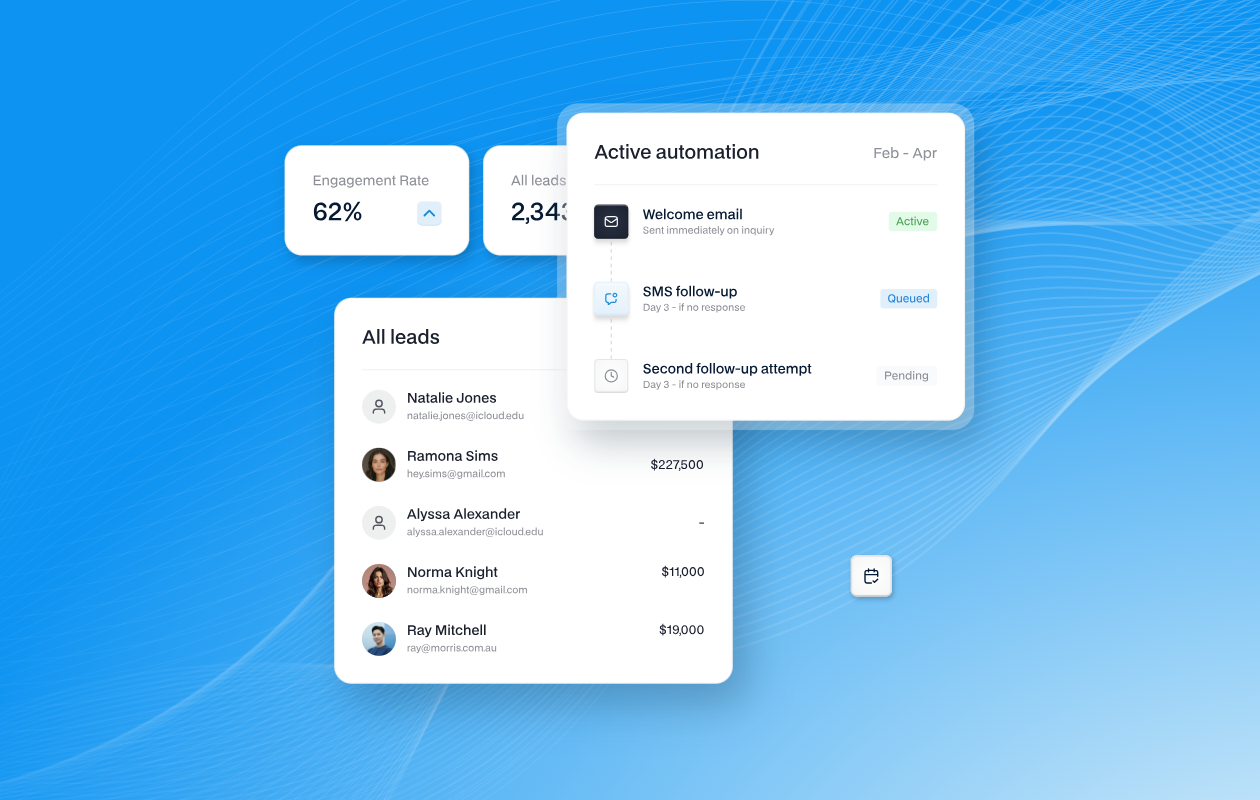

Two teams using the same platform, one has set up automated leads, and the other is manually following up the leads. Here is the difference between the two.
The Manual Follow Up
One of the most common mistakes we find in Property Shell users is that the platform is configured, leads are coming in, agents are logged in, but the automation process is built incorrectly, sitting in drafts or worse not set up at all. This in turn just adds up to doing the whole process manually instead of the platform working how it was designed to. Every stale lead lost because no re-engagement process ever created.
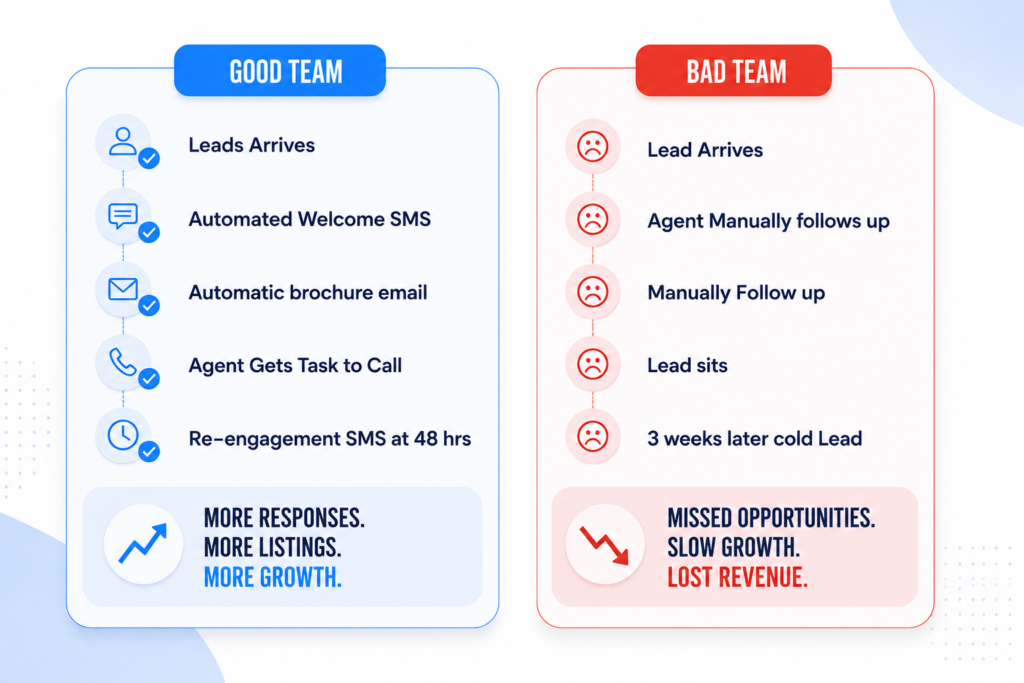
The difference simply being how the automation is setup within Property Shell not the program itself.
How the Property Shell Automation engine works
The marketing operations are built around two triggers – an understanding both these is where the skill gape between good teams vs bad teams.
Event Based Triggers
These fire when something specific happens — a lead enquires, the agent logs an outbound call to the lead, an inspection is attended, a contract is signed. Property Shell captures all of these digital touchpoints. It is just up to the team to ensure the automation has been to put in place for the program to carry out the triggers.
Time Based Triggers
These fire after a set delay from a defined point — 24 hours after enquiry, 7 days after the autoresponder was sent, 30 days since last contact. This is where most users leave value on the table. Time-based sequences are what keep leads warm without any manual intervention, and most teams have never configured them.
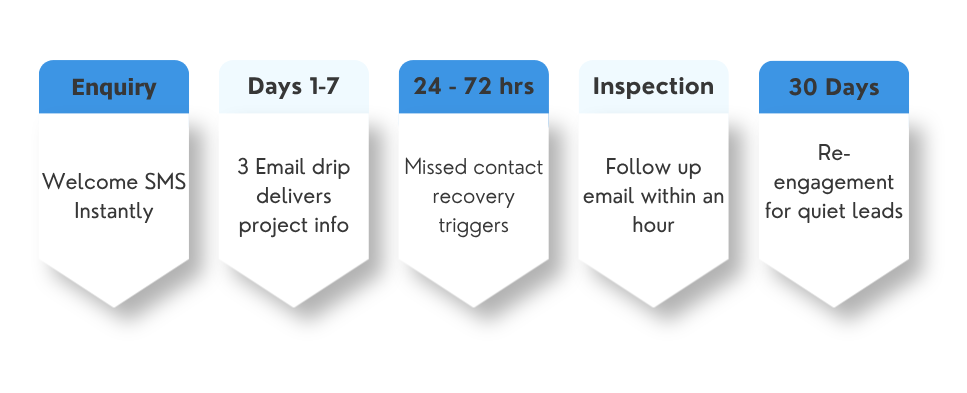
5 Step Automation Process Successful Property Shell Teams Are Using
The Instant welcome (within 2 minutes of enquiry)
First response time is one of the biggest variables in whether a lead converts to a conversation. High-performing teams use an SMS and or email automation to send a personalised acknowledgment the moment a new enquiry is received — before any agent has even seen it.
The Project Information (days 1, 3, 7)
Not every buyer is ready to act on day one. The teams that consistently outperform on Property Shell send a structured sequence of emails in the first week — not a single blast. Day 1 delivers the brochure and floorplans. Day 3 tells the project story. Day 7 presents the price guide or EOI invitation.
The missed call recovery
Enquiry received but no call connected. Action: SMS sent to the lead directly — something warm and low-pressure (“We’d love to find a time that works for you — reply here or call us anytime”). At 72 hours with still no contact, a task is escalated to the sales manager.
The open inspection follow-up (within 1 hour of attendance)
An attended open inspection is one of the highest-intent moments in the buyer journey. Most teams follow up the next day — or not at all. The teams getting the best results on Property Shell automate a personal email from the agent within an hour of the inspection being marked as attended.
The stale lead re-engagement — a 30-day sequence
Every project has a graveyard of leads that engaged early and then went silent. On Property Shell, those leads haven’t necessarily gone cold — they just haven’t been given a reason to re-engage. High-performing teams build a 30-day re-engagement journey: a project update email, a new release announcement.
Common Reasons Why Journeys Don’t Work – and How To Fix Them
- The journey is still inactive. This is the most common issue. Property Shell journeys must be explicitly activated — saved is not the same as live. Check every journey has been switched on, not just built.
- The trigger event doesn’t match how your team updates leads. If your welcome SMS triggers on “new lead” when someone enquires more than once the autoresonder won’t trigger. Instead the welcome SMS or email sould be triggered on “enquiry”.
- Nobody owns the automation. Journeys built during setup and never reviewed drift out of alignment with how the project is running. Assign one person in your team to own the automation — reviewing it monthly, updating templates when the project reaches new milestones, and checking everything is running smoothly.
Where to Start if don’t have the 5-Step Process
Don’t try to build all the 5 steps at once. Do one at a time and get them setup correctly, and once it is up and running move to the next step.
- Build the welcome Email and or SMS message. It is the quickest one to setup. Will fire on every single enquiry and will see immediate impact. This will only take 15 minutes inside Automations Settings.
- Add 3 Email Drip. Make the three templates, set the time delays, and then activate. Then you will have a working sequence that will continue to run without any manual inputting.
- Build the missed contact recovery. This automation gives accountability to team and ensure no lead goes untouched after 24 hour
- Add inspection follow up, and then lead engagement follow up. Do these two steps last, make sure first three stages are running as desired. These steps of automation add to recovery of leads to make sure they don’t go stale.
Review your journeys at the start of each new project — not just once at setup. Templates go stale, project milestones change, and trigger conditions need to stay aligned with how your team actually works inside the platform. For more details look at Marketing Automations on our website

